

Two separate attack campaigns hit GitHub users this month. They use different tools and different tricks, and two different research teams found them. But both start in the same place: Developer credentials in the wrong hands.
And in both cases, the controls defenders trust most missed the problem.
The first campaign, which Wiz Research calls Gheist after the user agent its tool sends to the GitHub API, has run since September 15. As of October 24, researchers had recovered more than 13,500 planted branches across more than 850 compromised accounts.
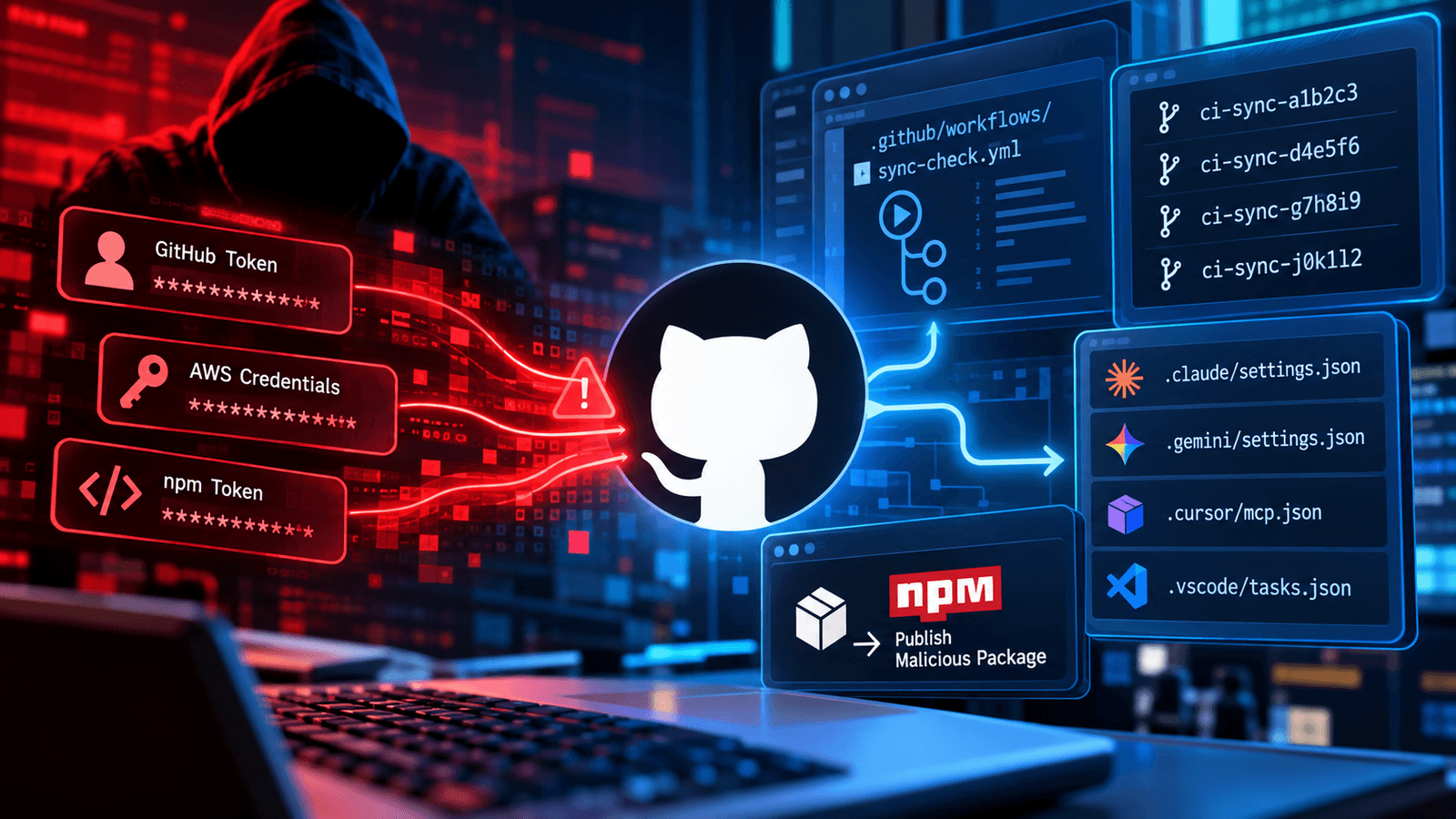
The method is fast. The tool takes a stolen token and finds every repository it can reach. In each one, it creates a branch named ci-sync- plus six random characters and commits a single workflow file, sync-check.yml, with the message “ci: sync config.” The workflow prints the repository’s secrets into its own Actions log. The tool downloads the log through the API and deletes the run seconds later.
Two details make this hard to catch. GitHub masks secrets in logs only when they appear exactly as stored, so the workflow encodes them in base32 and they print in full. And because the secrets leave through GitHub’s own API, there’s no attacker domain for a network control to block.
One variant runs a job for each deployment environment, which exposes environment-scoped secrets. Those are often production credentials. Around October 19, another version began targeting self-hosted runners, hunting for 31 token types, including AWS instance role credentials. Wiz called that job buggy and reported no successful run.
GitHub does have a safeguard. Since July 28, it has held workflow runs it flags as potentially malicious until a collaborator with write access approves them. Every public Gheist run Wiz checked was stuck waiting. But the hold covers only public repositories on github.com. Private repositories and GitHub Enterprise Server aren’t included, and that’s where Gheist succeeded. In enterprise organizations, hours after the workflow was planted, cloud credentials from the same organization were used to enumerate AWS Secrets Manager.
Wiz traced the stolen tokens to infostealer logs and to earlier supply chain attacks, including the March compromise of the Trivy vulnerability scanner.
The second campaign is smaller but sneakier. JFrog Security Research found 42 hijacked repositories belonging to 11 legitimate owners. JFrog ties them to testmetest, an npm worm that SafeDep first documented on October 22. The worm stole GitHub and npm credentials, and the attackers used that access, along with hijacked accounts and contributor privileges, to arm the repositories.
This one targets the developer’s desktop. The planted files are execution hooks for AI coding assistants and IDEs, including .claude/settings.json, .gemini/settings.json, .cursor/mcp.json, and .vscode/tasks.json. Each points to a hidden payload. Starting an AI session or opening the folder in an editor is enough to run it.
The payload wrappers weigh between 12.9 MB and 13.7 MB, and that size is the trick. JFrog’s researchers wrote that “GitHub code search did not index the 12.9 to 13.7 MB blobs, and the contents API could not return files of that size.” Their first search sweep found hooks in 26 repositories, and the files looked empty. Only when they enumerated Git trees directly did the count reach 42.
The hidden payload is a CI publisher. It runs in GitHub Actions on short-lived branches, swaps a GitHub OIDC token for an npm publishing token, and tries to push a poisoned release. Each release can feed more stolen credentials back into the loop.
So are these the same attack? No. Gheist harvests secrets at scale through Actions logs. Testmetest plants traps on developer machines and turns stolen access into malicious packages.
Mitch Ashley, vice president and practice lead for CIO & Technology Buyers and Software Lifecycle Engineering at The Futurum Group, says both attacks rode on trust that teams rarely question.
“Both campaigns used trust that developer platforms grant by default, to a valid token and to whatever configuration sits in a repository,” Ashley says. “Opening a project in an AI coding tool is now enough to run an attacker’s code.”
The shared lesson matters more than the differences. Neither campaign breached GitHub itself. Both used valid credentials, then slipped through gaps in tools people assume are complete: log masking that misses encoded values, an approval hold that stops at public repositories, and code search that skips large files.
Cleanup advice overlaps. Rotate every secret an affected repository could reach, including organization and environment secrets. Deleting a branch or a run doesn’t undo the exposure. Revoke the tokens that pushed suspicious commits and check their owners’ machines for infostealers. Hunt for ci-sync- branches and the gheist user agent in audit logs. Audit repositories for unexpected AI assistant and IDE config files, and enumerate repository trees directly instead of trusting search.
The longer-term fixes are familiar but overdue. Replace personal access tokens with GitHub Apps or short-lived, fine-grained tokens. Require reviewers on environments that hold production secrets. Limit OIDC trust policies to protected branches. Run self-hosted runners as short-lived machines.
Ashley says the AI tool files deserve the same scrutiny.
“Agent configuration has become the newest build script in the repository, and review processes have not caught up,” he says. “Platform teams need to bring those files under the same review and provenance controls as CI workflows.”
Developer credentials are now the shortest path into the software supply chain. Attackers know it. The open question is how fast platform teams catch up.

Frequently Asked Questions
1. How did Gheist steal secrets from GitHub repositories?
2. How did Testmetest exploit AI coding assistants?
3. What should DevOps teams do to prevent similar attacks?

Tom Smith (C. Thomas Smith III) is a veteran digital analyst and content strategist who spent more than four years as a Research Analyst at DZone.com (part of Devada), where he conducted thousands of interviews with technology executives and authored roughly 1,500 articles that generated more than 10 million page views across topics including AI/ML, Agile, APIs, cloud computing, DevOps, IoT, Java, Kubernetes, microservices, and security. He holds an MBA in Marketing from Duke University's Fuqua School of Business and a B.A. in Political Science from Duke. Smith later worked as a content strategist and technical writer at Cognizant, including stints on Google's Bard (now Gemini) and Meta's AI Business Assistant (MAIBA) "seed" content teams, where he helped train and evaluate large language models. Over his career, he has interviewed more than 4,000 technology executives across AI, cloud, data, security, and storage sectors. He now writes independently through Insights From Analytics and is a contributing writer across multiple Techstrong Group properties, including DevOps.com, Digital CxO, Cloud Native Now, PlatformEngineering.com, and Techstrong.ai, where he covers AI agents, enterprise AI infrastructure, and emerging developer tools.